
FEATURES
Everything your CTF needs, in one platform
What players and organisers see on a Raw Strix event, from the challenge board to the admin panel. The screenshots come from a sample event with example teams.
CHALLENGE BOARD
A challenge board players enjoy
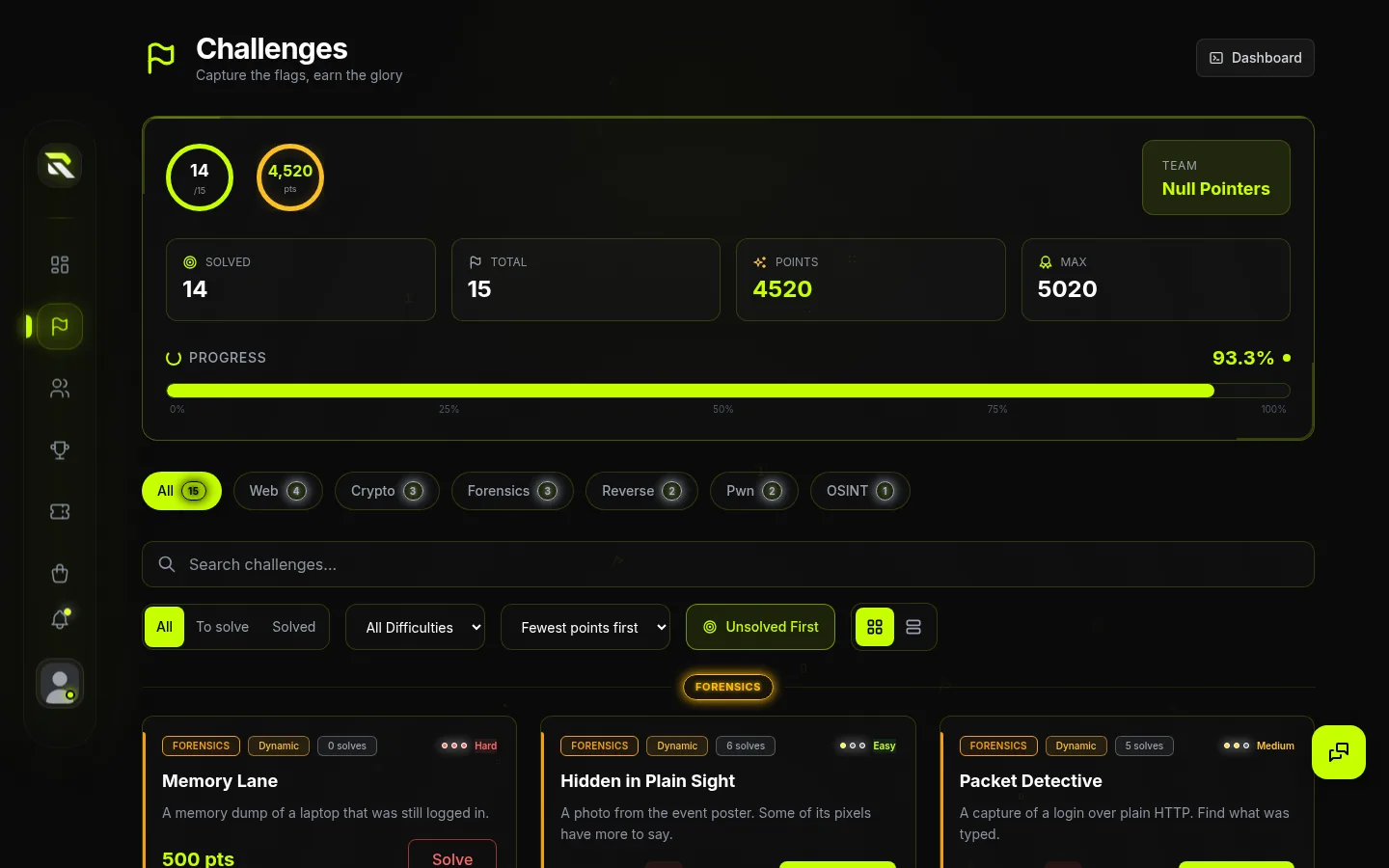
Players see every challenge by category, with its difficulty, current points and how many teams solved it, and track their team's progress at the top.
- Filter by category and difficulty, search, and sort
- Dynamic points that drop as more teams solve
- Solved challenges marked for the whole team
CHALLENGES
Each challenge, clearly laid out
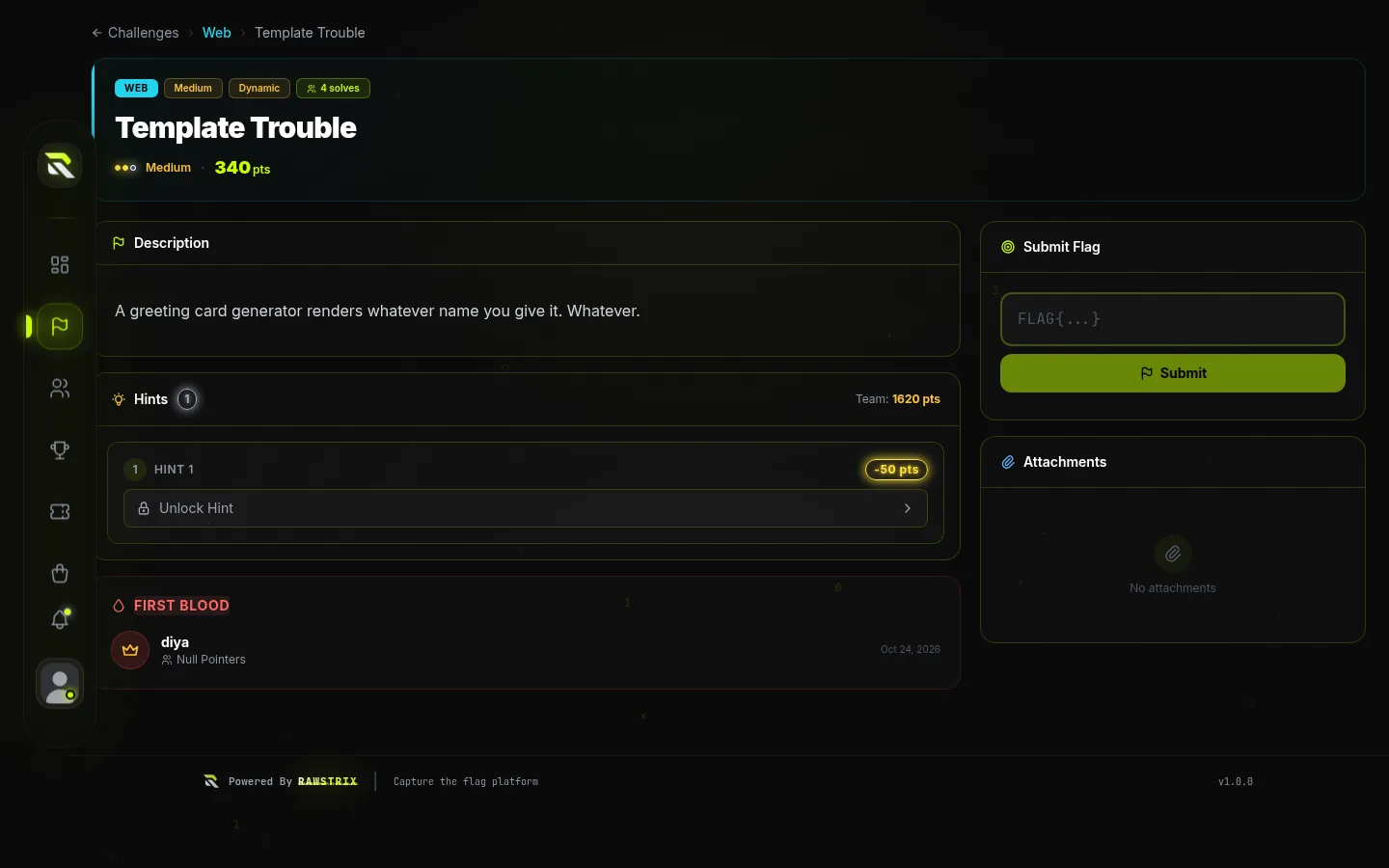
The description, files, hints and the flag box on one page, and the team that took first blood.
- Hints that cost points, unlocked by the team
- Attempt limits against guessing
- First blood shown on every challenge
LIVE SCOREBOARD
A scoreboard that moves the moment a flag lands
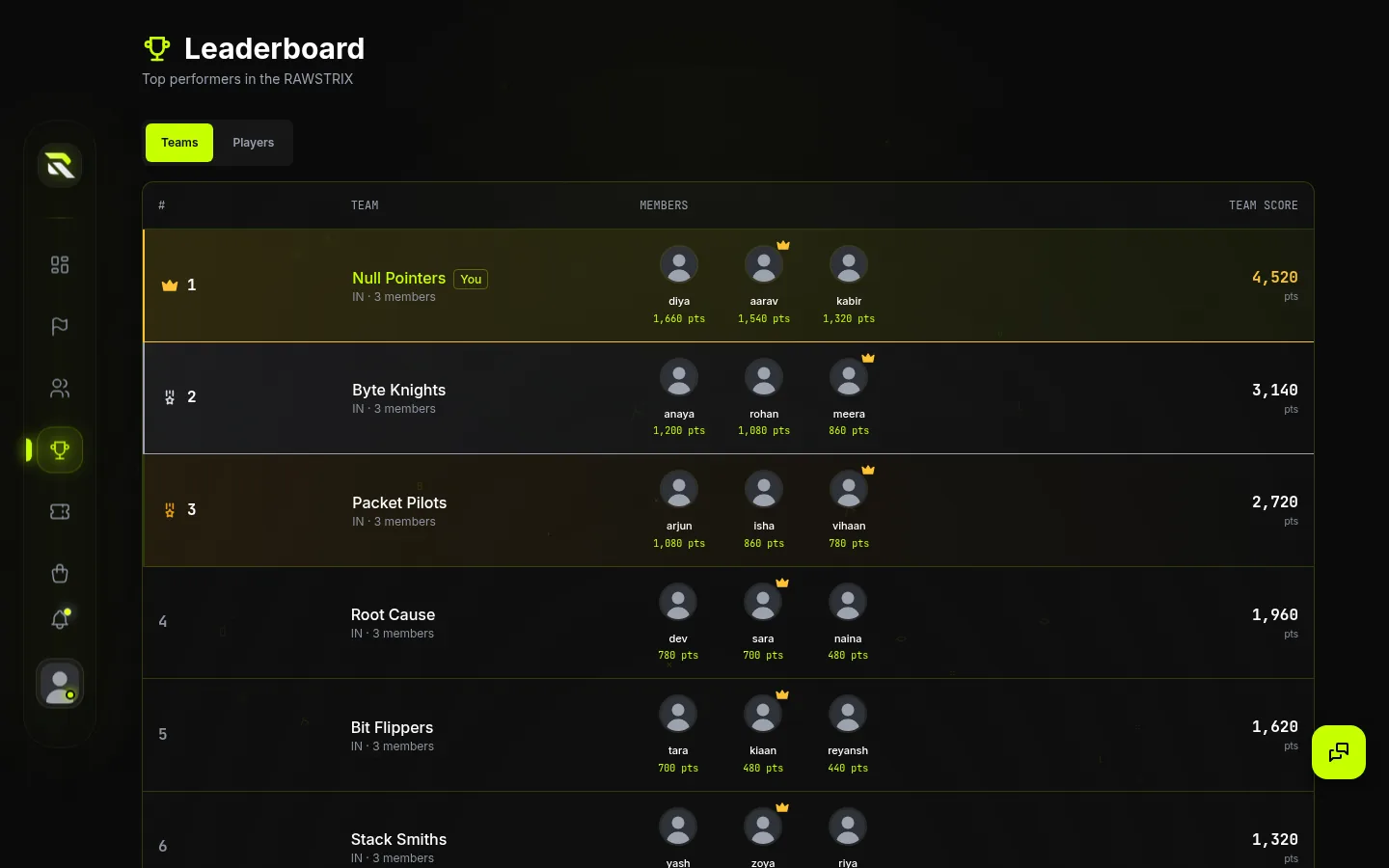
Teams and players ranked in real time, with each member's points, so the race is visible to everyone in the room.
- Team and player rankings
- Updates live, without reloading
- Ties go to the team that reached the score first
PLAYER DASHBOARD
Every player knows where their team stands
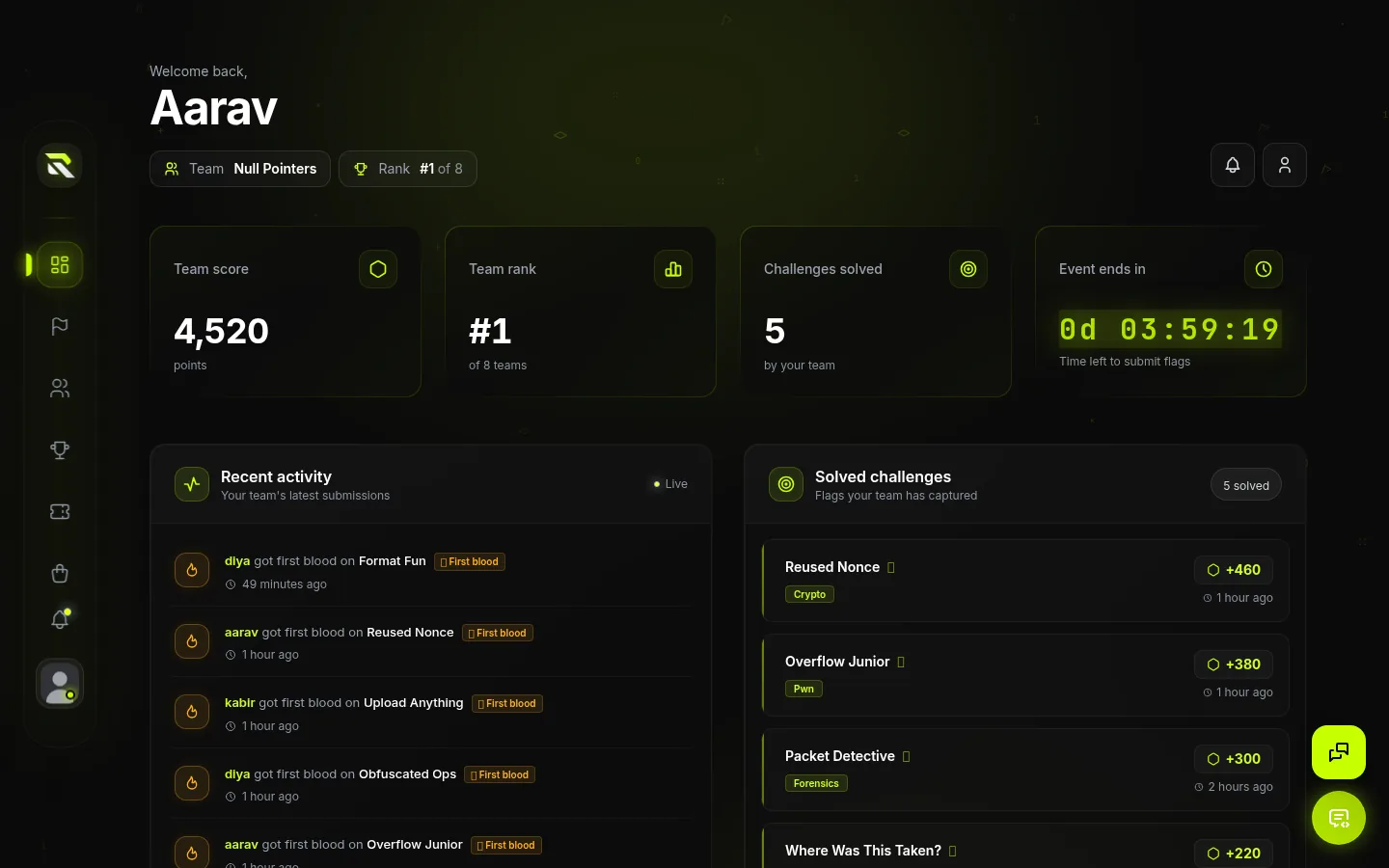
The team's score and rank, challenges solved, the time left in the event and the latest first bloods, on one screen.
- Countdown to the end of the event
- Recent activity across the event
- Notifications for announcements
ADMIN PANEL
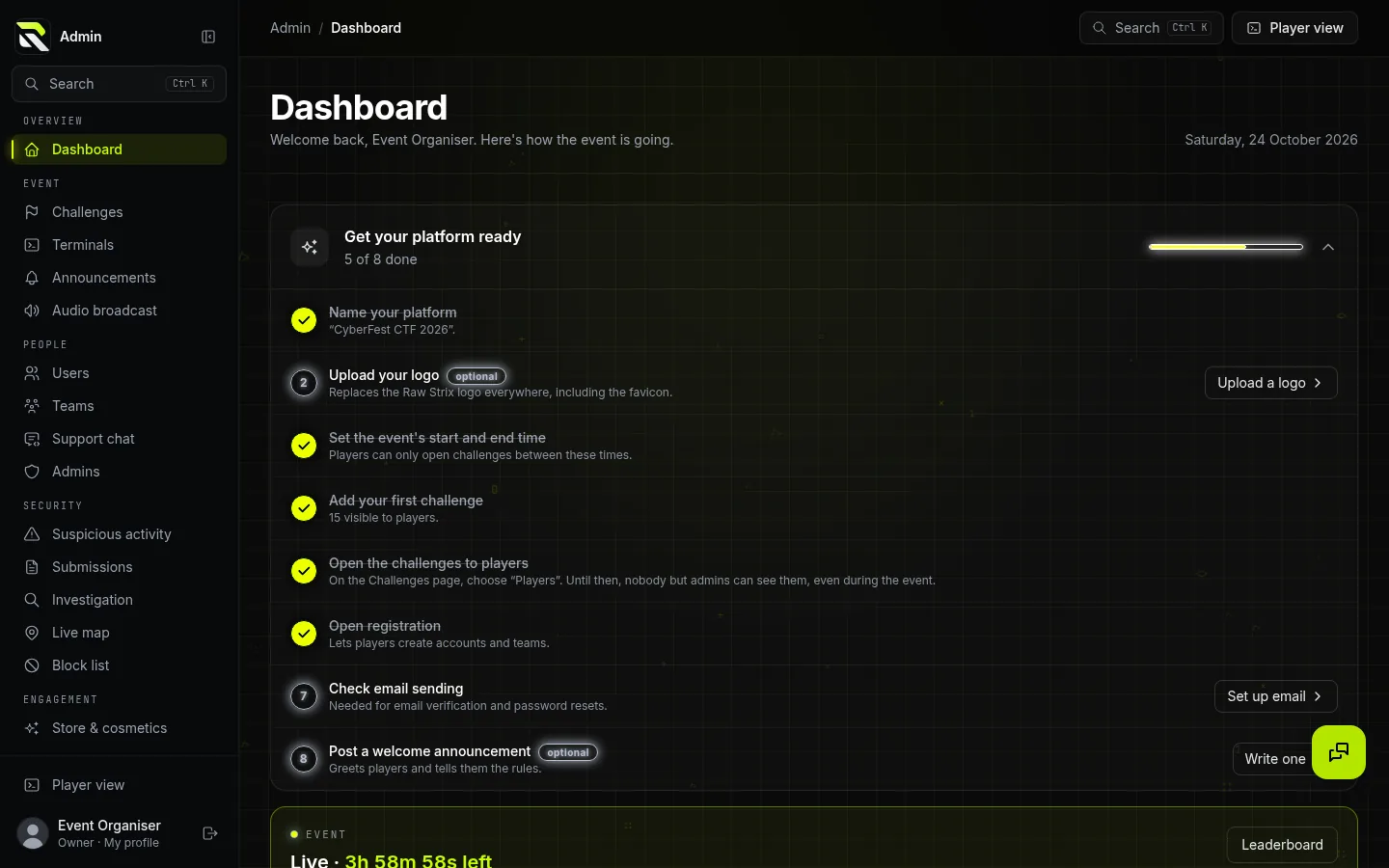
An admin panel that walks you through setup
A checklist takes you from a new platform to an open event: name it, add your logo, set the schedule, add challenges and open registration.
- Challenges, teams, players and submissions in one place
- Announcements and audio broadcasts (Pro and Campus)
- Admin roles with only the permissions each helper needs (Pro and Campus)
CHALLENGE MANAGEMENT
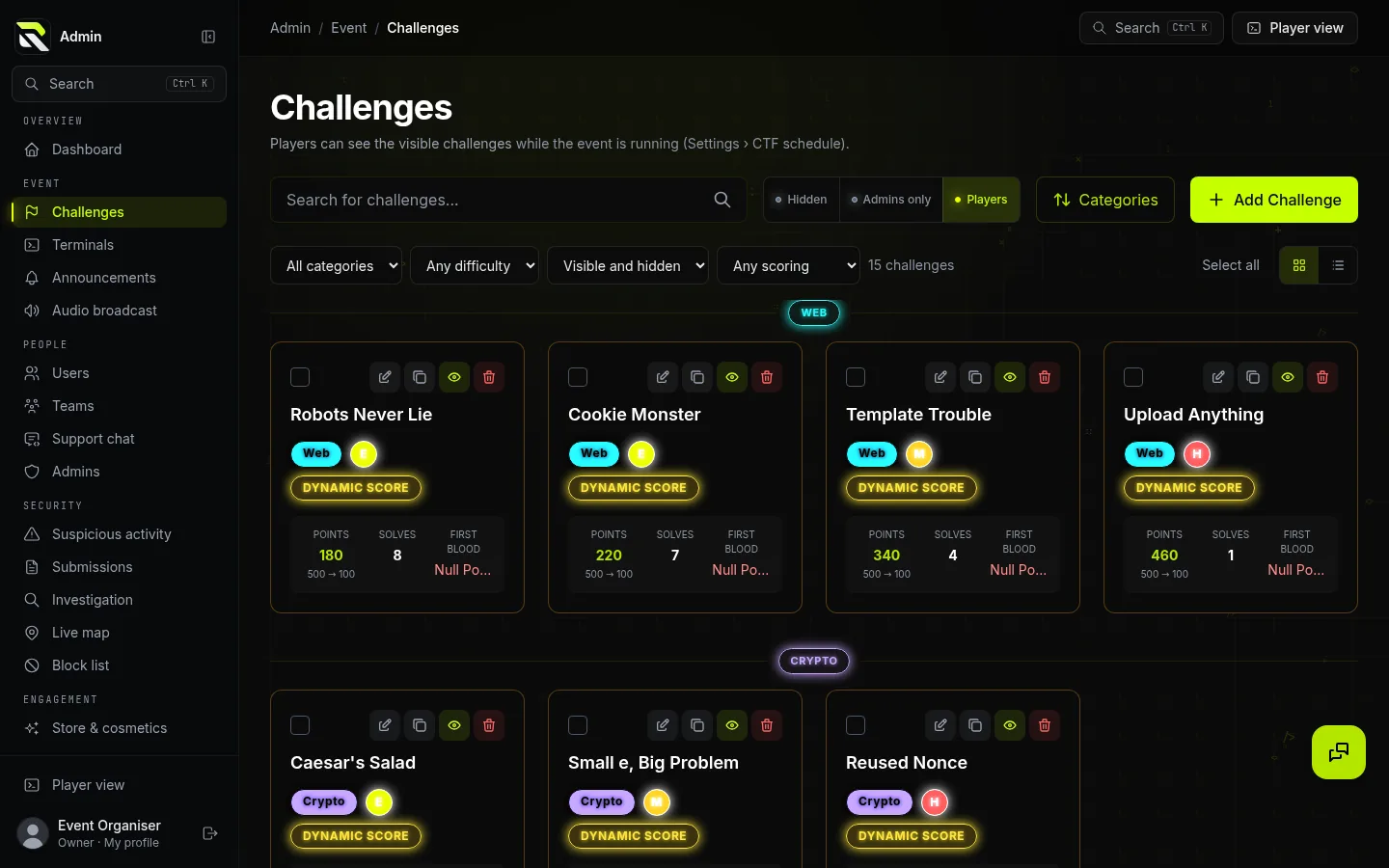
Run the board while the event is live
Add and edit challenges at any time, choose who sees each one, and see points, solves and first blood at a glance.
- Hidden, admins only or visible to players
- Categories with their own colours
- Static or dynamic scoring per challenge
ANTI-CHEAT · PRO AND CAMPUS
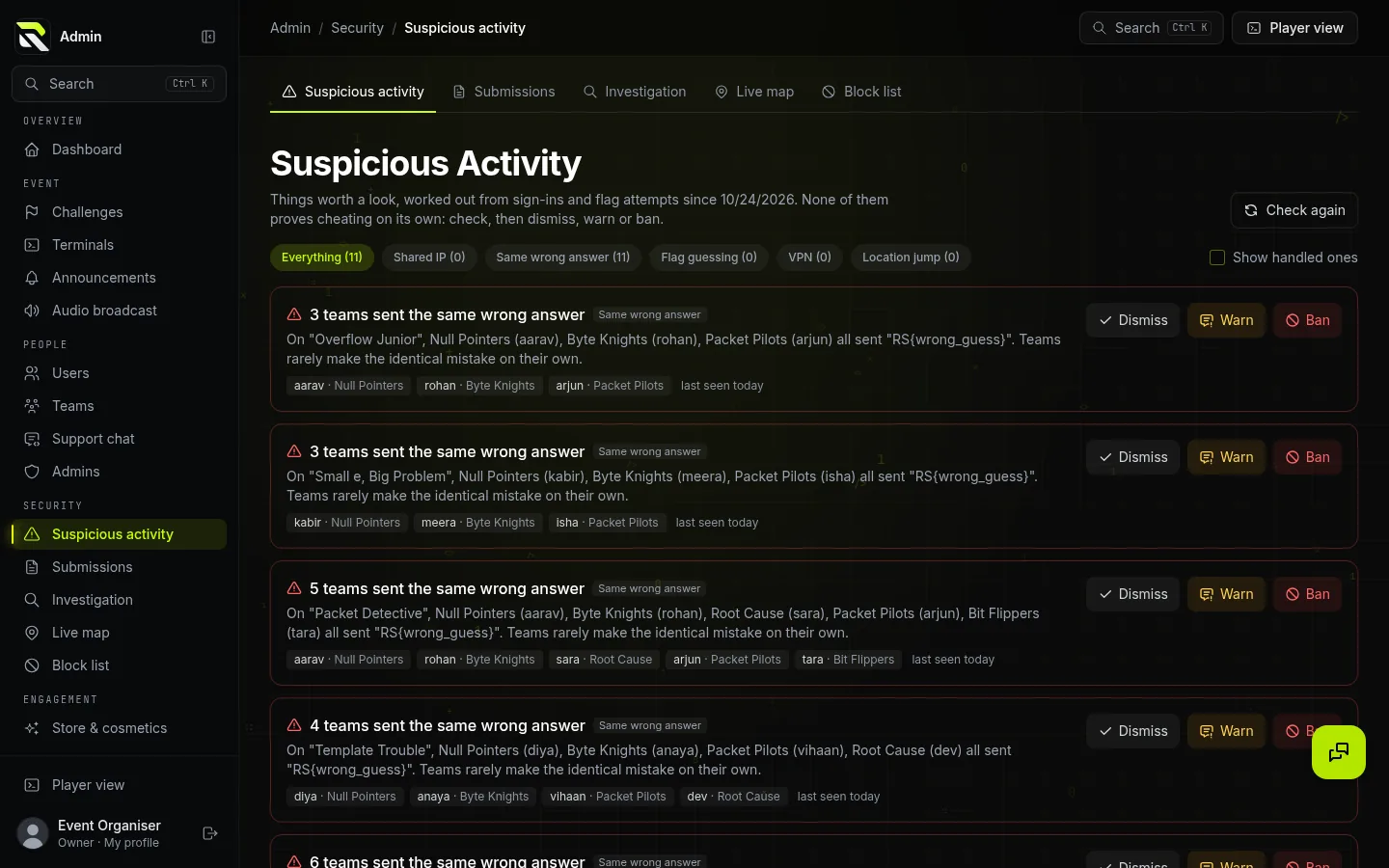
Spot shared flags before they decide the result
The platform looks for patterns that point to cheating, and lists them for an admin to check, warn or ban.
- Several teams sending the same wrong answer
- Teams on the same IP address, and flag guessing
- VPN use and location jumps, with a location whitelist for your venue
ON EVERY SCREEN
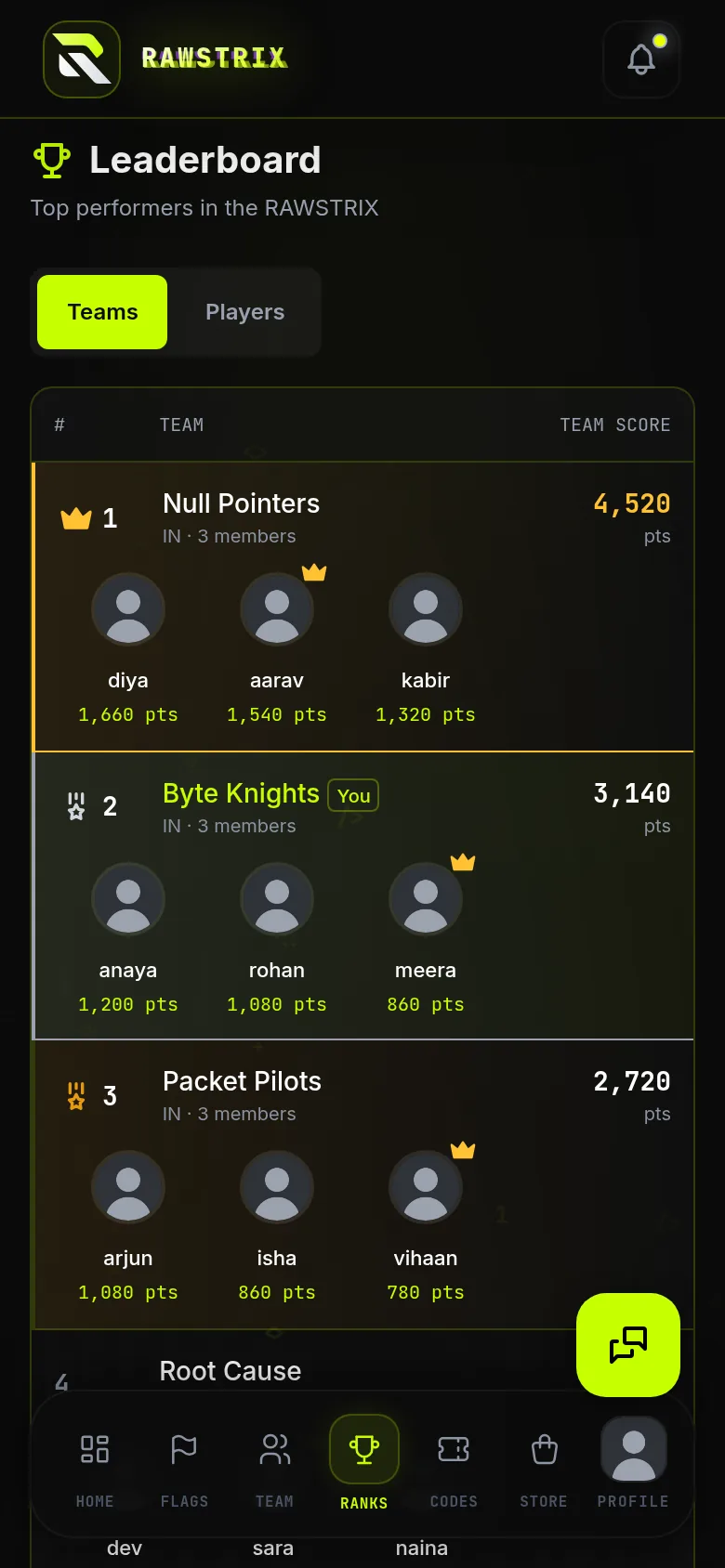
Works on phones as well as laptops
Players can follow the scoreboard, read challenges and submit flags from a phone. Nothing to install.
- The full player side in any modern browser
- Navigation built for one-handed use
Also included
- Your own address (yourname.rawstrix.com) with HTTPS, or your own domain on Pro and Campus
- Your logo, event frame and sounds (Pro and Campus)
- Live chat and polls during the event (Pro and Campus)
- Results export at the end of the event (Pro and Campus)
- Instanced challenges in Docker, a voucher shop, backups and challenge import and export (Campus)
- Sign in with Google or GitHub, when the organiser turns it on
Which plan includes what is on the pricing page. Screenshots: a sample event with example teams.
Try it yourself
Sign up free and you will find the live demo on your dashboard: the player side and the admin side, with sample challenges.